Patient {Portals}
Our patient portal is designed to keep you connected to your patients’ specialty care journey. You’ll receive automatic notifications when your referred patients arrive at our facility, with instant access to all specialist reports, treatment updates, and diagnostic results.
{Shareville} Patient Portal Guide
Veterinary Specialist Partners uses Instinct EMR Shareville! This is a helpful portal where you will be able to retrieve updates and shared patient documents from your referral hospital.
When a mutual patient arrives at the referring hospital, your information, including email address, is entered into Instinct EMR. From there, Instinct Shareville automatically notifies you via email that one of your patients is Checked-In or Checked-Out of Instinct. Below is a sample email template that you will receive.
The email will include two links: the first link is for that specific patient portal, and the second link is to view all of your mutual patients in the portal.

💡 ProTip: For easy access to your patient’s records anytime, bookmark the main Shareville portal link or simply click the links at the top of this page!
Creating Your {Login/Password}
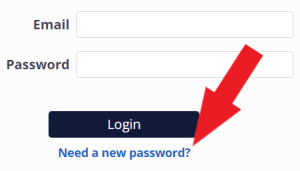
If this is your hospital’s first time logging in to Shareville, you will be prompted to create a new password as shown below. This password will be associated to the email address that is receiving the Patient Visit Notification. This means that if your hospital shares this email address across multiple locations, all locations will access Shareville using the same password.
For security purposes, no documents are actually sent via email. The check in and check out notification emails will instead contain a unique link that will allow you to access each patient’s Shareville portal. Please note that the patient portal link contained in these emails will expire after 30 days. Once your password has been set up, simply log in.
For security purposes, no documents are actually sent via email. The check in and check out notification emails will instead contain a unique link that will allow you to access each patient’s Shareville portal. Please note that the patient portal link contained in these emails will expire after 30 days. Once your password has been set up, simply log in.

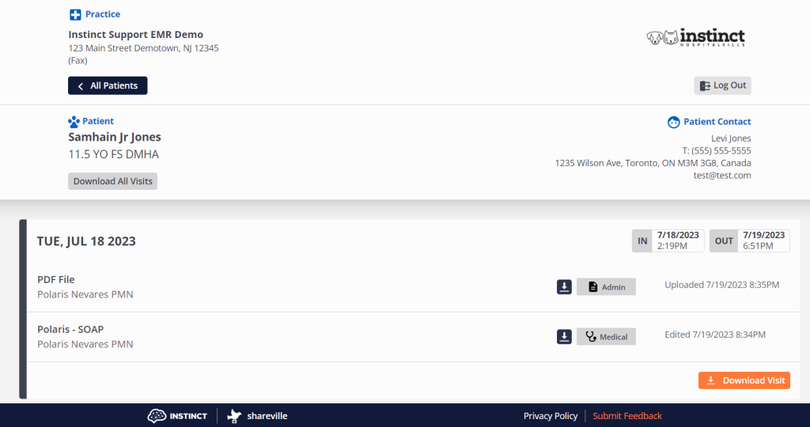
Following the patient link will allow you to view and download individual documents, specific visits, or all visit information:
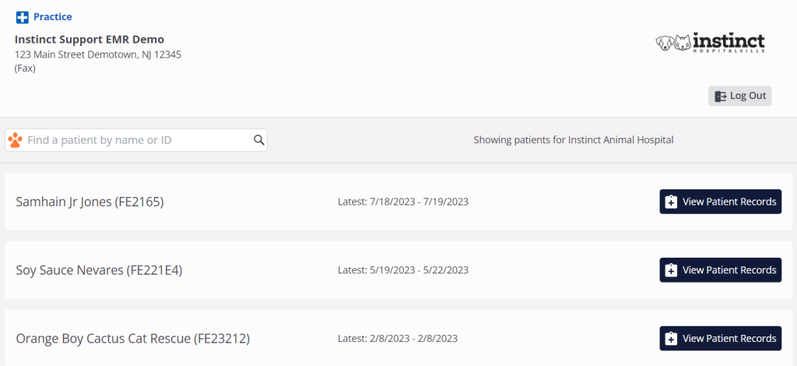
Once logged in, you will be able to access all patients that you have been associated with from that hospital.
{Shareville} Troubleshooting
If you are unable to access Shareville, or are not receiving the Patient Visit Notification emails, please have your IT team add the following domain on your email and network’s allow list:
- *.mail.instinctvet.email
- *.instinctshareville.vet
- *.instinctvet.email
- *.intercom.io
- *.instinctvet.io
- *.intercomcdn.com
- *.sentry.io
- *.instinctvet.cloud
- *.chargeitpro.com
- *.emergepay.chargeitpro.com
- *.assets.emergepay.chargeitpro.com
- *.app.plumbs.com
- *.use.typekit.net
- *.instinctvet.com
- *.browser-intake-datadoghq.com
- *.amazon.com
- Shareville should be accessed via a Chrome web browser for best results.
- If you need to reset your password, just click on the Need a new password? link below the Login button. You will then receive a link to reset your password. Please note that the reset password link will expire within 30 minutes.